Magnifier Engineering and Trading Company ( Metco )
Importer / Distributors of Industrial Machine Tools & Metal Fabrication Equipement
An ISO 9001 - 2015 Certified Company

Importer / Distributors of Industrial Machine Tools & Metal Fabrication Equipement
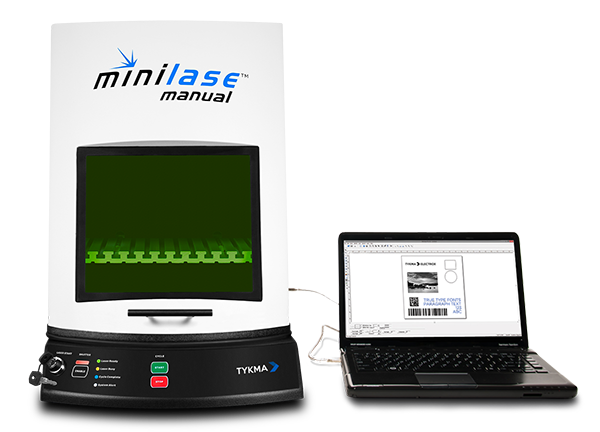
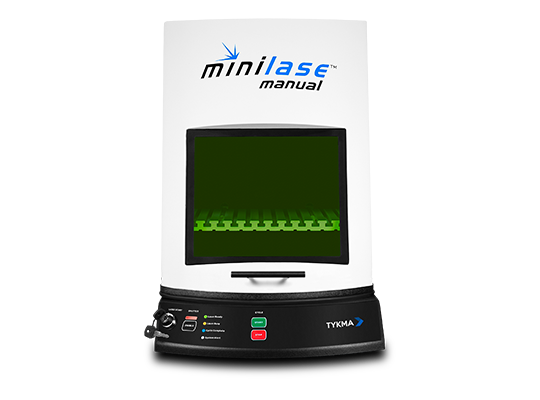
Minilase™ Manual is simple and affordable, but its powerful features will surprise you.
The MLM fiber laser system packs a powerful punch and gives users maximum application flexibility. The manual front door is lightweight and ergonomic thanks to a spring loaded retraction system. A powered part-loading table with our focus finder system makes focal adjustment easy. Machine management is simple with the front mounted operator control panel.
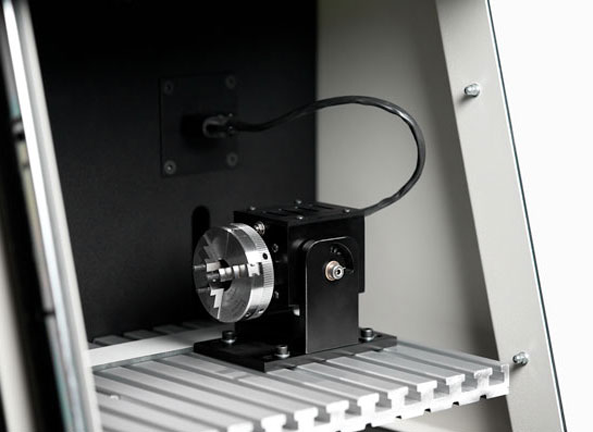
A USB connection to a laptop or desktop PC is all that is required to start programming with our Minilase™ Pro SE laser marking software. Quickly mark text, barcodes, serial and date codes graphics and more. Utilize our micro rotary device for 360° radial part marking.
With our included Quick Start Guide, video tutorials and laser programming manual, Minilase™ Manual can be setup and marking within minutes.
| System Dimensions / Weight | 17″W x 34″L x 24″H / 130lbs(mm) 432W x 863L x 610H / 60kg |
| Standard Marking Field | 160S (100mm x 100mm) (3.93″ x 3.93″) |
| Standard Max Part Size (160S Lens) | 13.5″W x 9.5″L x 7″H (mm) 342W x 241L x 177H |
| Available Marking Lens Upgrade and Marking Fields | 254S (140mm x 140mm, 5.5″ x 5.5″) |
| Maximum Part Height with Lens Upgrade | (254S) 3.5″H/88mm |
| Laser Type | Ytterbium Fiber |
| Wavelength (nm) | 1062 +/- 3nm |
| Wattage | 20W |
| Frequency Range | 1kHz – 500kHz |
| Pulse Duration | Selectable, 260ns or 40ns |
| Operative Ambient Temperature Range | 45° F to 110° F |
| Cooling | Air Cooled |
| Input Power | Power Sensing 110-240VAC 50/60Hz |
| Aiming Beam | (2) Class IIM Red Diode (635nm) |
| PC | Windows 7, 8, 10 Laptop / Desktop PC Required |
| PC Connection | USB |
| Available Ports | Diagnostic |
| Warranty | 36 Month Comprehensive Unlimited Hours |
| Documentation/td> | USB Drive / Quick Start Guide Video Tutorials / Software Manual Safety Manual / Laser Settings Manual (All Manuals Provided in Digital Copy) |